- Proxy servers
- Countries
- Social networks
- Online Games
- software
- other purposes
- Browser Directory of all proxies
- ipv4
- ipv6
- Prices
- Affiliate Program
- Proxy wholesale
- Contacts


01.01.2019

When the user wants to connect to blocked Internet resources or ensure IP address anonymity while working on the network, proxy servers come to the rescue. They act as intermediaries that hide the real location of the owner and allow access to websites blocked by the provider. To get a quality service without restrictions, there are paid proxy servers, but there are also free options. I don't want to upset you, but if the service is of high quality and in demand, it will eventually go into the paid category. Free remains slow and non-functional services, moreover, they are collective, that is, except for you, this server is used by a few thousand people. You don't want to waste time - pay for a stable and functional proxy.
To date, both types of protocols are individual and keep your anonymity perfect. HTTPS is an SSL-enabled protocol. The transmitted traffic is encoded with the help of specific algorithms of protection of data, as a result - you can't know what information goes through the server. Advantages:
Socks is an anonymous proxy protocol that securely protects information. The stable versions currently in use are Socks4 and Socks5. Provides access to network resources that cannot be bypassed via HTTP and HTTPS. Quality:
After purchasing proxy, it is necessary to do something. For the correct configuration in Firefox provide step by step instructions.
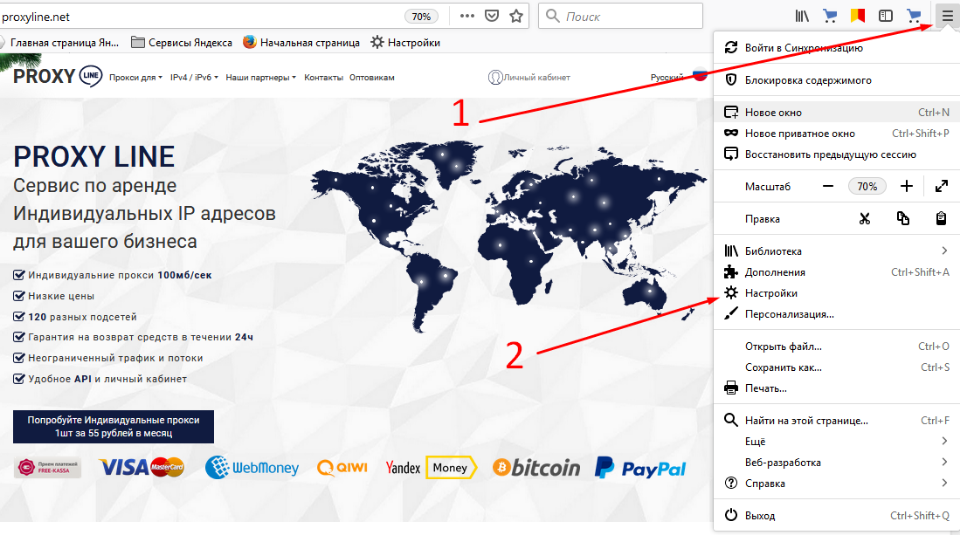 4. In the main menu or submenu, look for the setting "Network settings" and click "Configure"
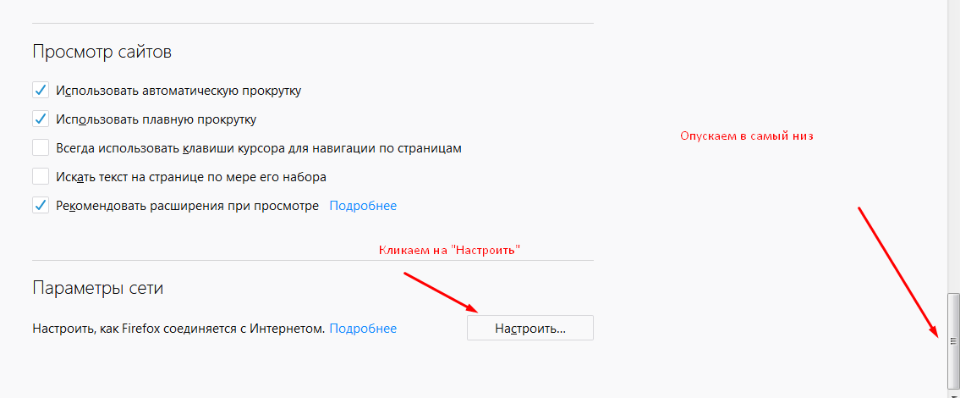 5. After manipulation, the window "Configure proxy for Internet access" opens, where you select "Manual configuration".
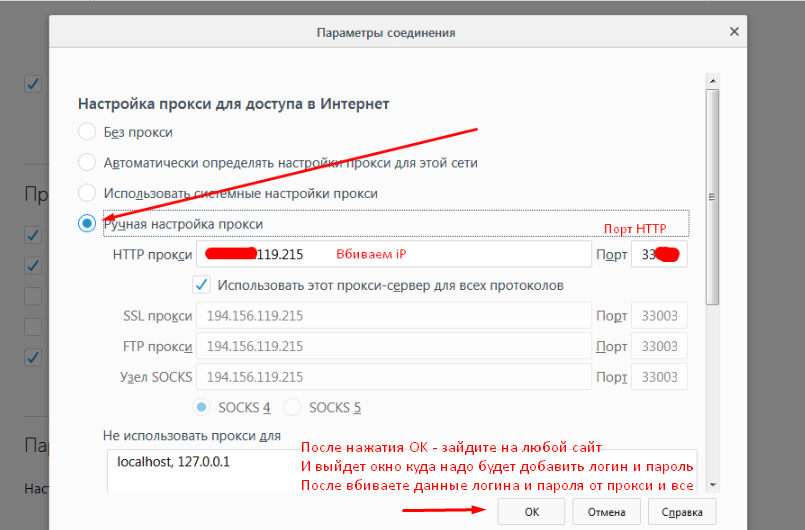 6. Fill in the fields:
If you fill in a specific field, make sure to leave blank any other fields you do not want to fill in.
When you launch Mozilla Firefox, you will need to enter your username and password. Enter data and work. If the binding is done via IP, you can start working immediately.
How to disable proxy in Mozilla Firefox
Disabling is done by the same algorithm, only in the "Proxy setting for access to the Internet" select "No proxy" or "Use system proxy settings".
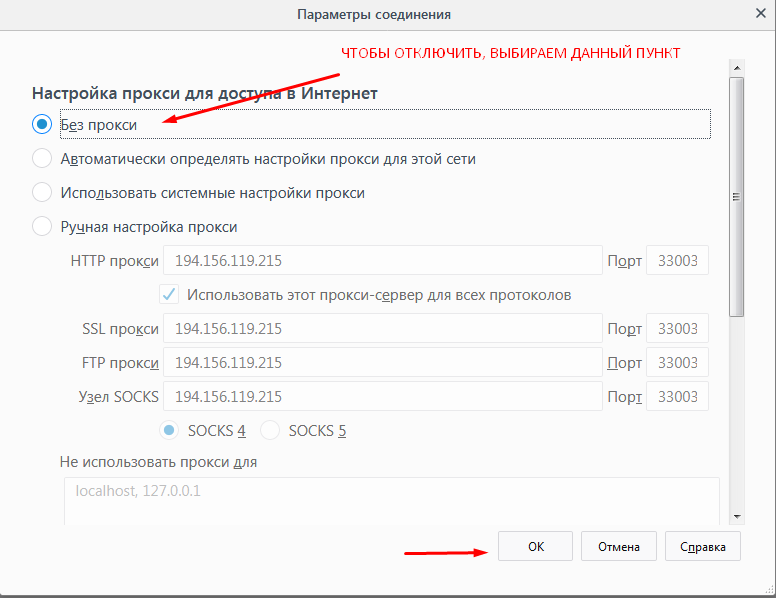 And what if you need to work with several proxies at the same time? For these purposes, use add-ons for Mozilla like FoxyProxy. The add-on allows you to switch between proxies on the fly or configure a group of websites and assign them a specific proxy. A handy feature is to create profiles to which websites and proxy addresses are bound. Need a proxy or not, knowledge of how to connect or disconnect will not be superfluous, because with their help the anonymity of the user remains in the network, open the sites blocked by the provider.


The affiliate program allows you to earn 10% of all lifetime customer payments linked to your affiliate link.
To participate in the program you need
Attract new customers to us using a referral link — a user who registers using your link is assigned to you for life, and you will receive 10% from all his payments.
Affiliate reward can be displayed on  Tether USDT (TRC20),
  Bank card, or use it to pay for any services of our service.

 USA
USA Canada
 Germany
 Russia
 Ukraine
 Belarus
 Kazakhstan
 VKontakte
 Odnoklassniki
 Facebook
 Instagram
 Pinterest
 Telegram
 Youtube
 Lineage 2
 ArcheAge
 Pokemon Go
 World of Warcraft
 Perfect World
 World of Tanks
 Steam
Steam VkJust
 SocialKit
 Tooligram
 Keycollector
 Sobot
Sobot Spotify
 Docker
 Ebay
Ebay Amazon
 Teamviewer
 iPhone
 Samsung
 Play Station 4
 Xbox One
 Opera
Opera Firefox
 Safari
 Dolphin






















 Proxy checker
 Speed
Speed Ports
Ports My IP
My IP blacklist
 IPV6
IPV6 API
API Free proxies